

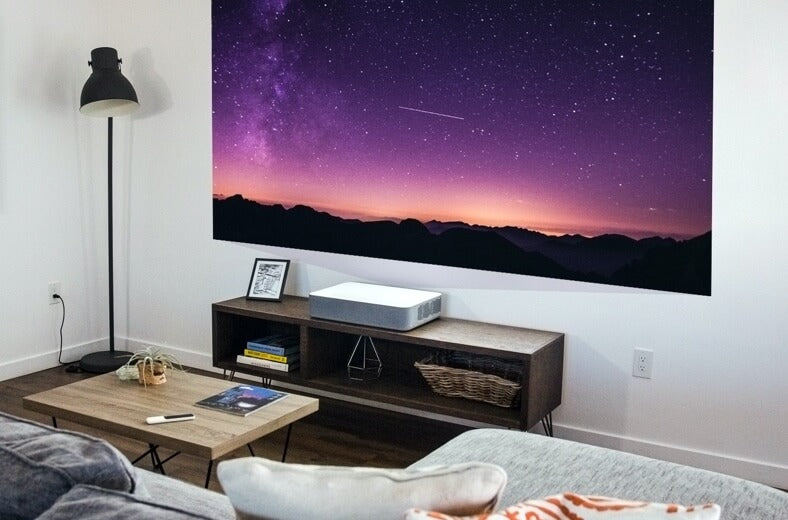
Projectors are unbeatable for offering huge video images at less cost than comparably sized flat-panel TVs. But like Superman, projectors have their own kryptonite: ambient light. Any ambient light in the room—say, from a window during the day, overhead lights, and/or floor and table lamps—can kill the quality of a projected image on the screen, washing it out so badly that you can't make out what it's supposed to look like.
Fortunately, there are ways to mitigate the effects of ambient light so that projected images still look great, even in brightly lit rooms. And they don't require a lead-lined box.
ALR/UST Screen
The most effective antidote to ambient light is an ambient light-rejecting (ALR) screen. Basic projection screens reflect any light that hits them in virtually all directions at once; these are known as diffusive screens. As a result, light from windows and lamps is reflected from the screen throughout the room along with light from the projector, greatly reducing the contrast and completely washing out the image.
An ALR screen reflects the projector's light back toward the viewers while making sure that light from other directions is not reflected into the viewing area. Many ALR screens rely on a basic principle of optics: the angle of reflection equals the angle of incidence (see Fig. 1). So, if light from a projector across the room hits the screen at a shallow angle, it's reflected at the same angle back to the viewing area. On the other hand, if light hits the screen at a steep angle, it is reflected at an equally steep angle in the opposite direction. For example, if light comes from overhead, it is reflected toward the floor; if it comes from the side of the room, it's reflected toward the other side.
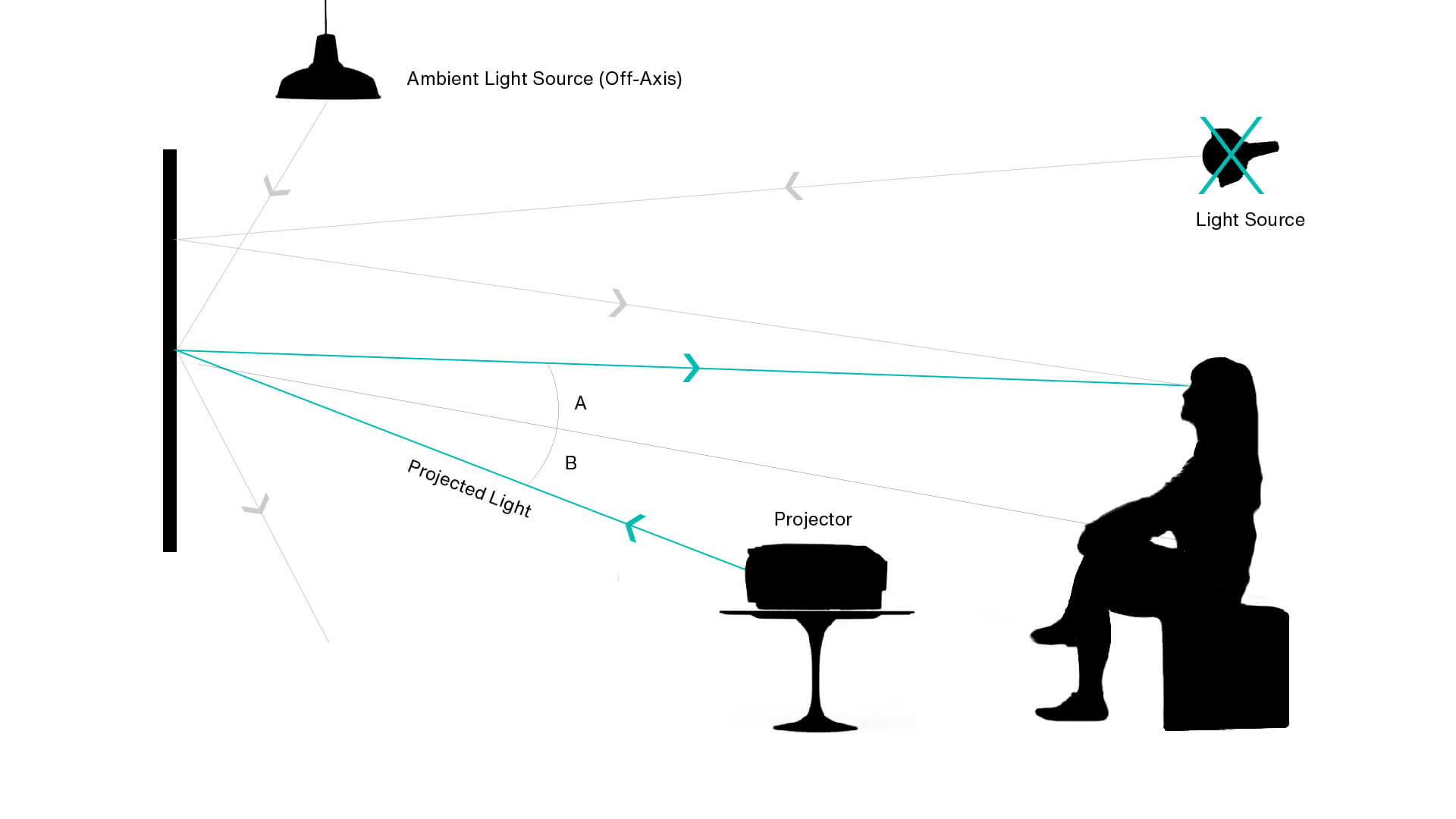
An ALR screen reflects the projector's light into the viewing area while reflecting light from other directions away from the viewing area.
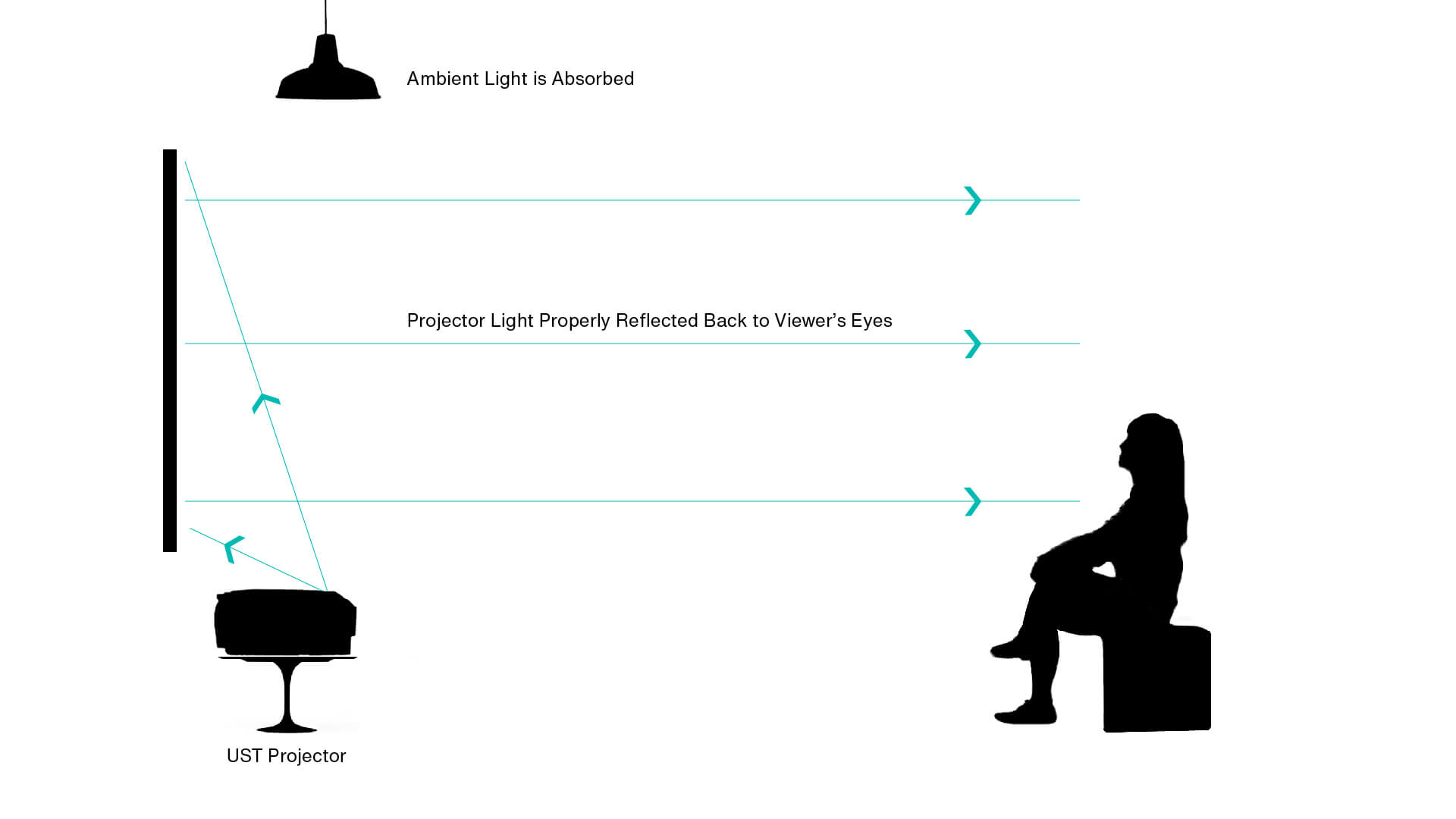
If you have an ultra-short-throw (UST) projector, such as the VAVA 4K Laser, you need a special type of ALR screen specifically designed for UST projectors. In this case, there is a microscopic lenticular structure built into the screen that reflects light from below straight back toward the viewers (see Fig. 2). Light from above is absorbed, while light from the sides is also absorbed and/or reflected toward the other side of the room.
Light Placement & Wall Color
Long-throw ALR screens can't do anything about a light source near the projector or at a similar angle—for example, a window or lamp directly across from the screen near or behind the projector (see Fig. 3). UST projectors and screens work better in this particular scenario, since they absorb and redirect light from any direction except right below the screen.
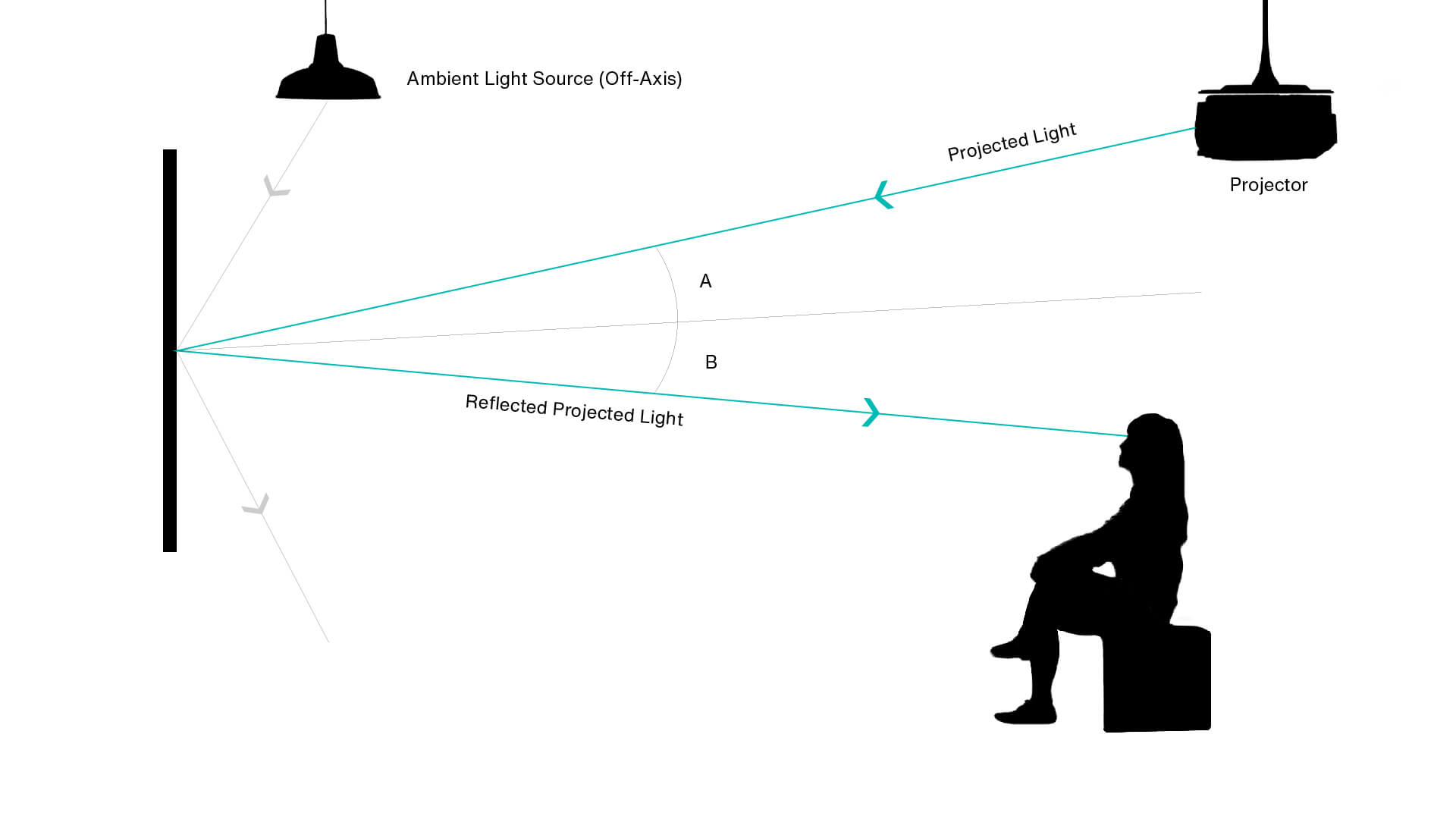
Still, even with a UST screen, it helps to give a little thought to where the lights are located in relation to the screen. In general, try not to have lights very near the screen, and try to direct them away from the screen—though not into your eyes! For example, try to focus overhead lights downward in a tighter beam, which will let you socialize without impacting the picture. If you have lights near the screen, turn them off while leaving the rest of the room lights on. Also, draw the curtains or shades on windows nearthe screen—and directly across from a long-throw ALR screen—while other windows in the room can be open.
Another consideration is wall color. If the walls in the room are light colored, they will reflect more light all around, including onto the screen and into your eyes, affecting your perception of the image. A dark, neutral color is best for the walls and ceiling, but that is often impractical—or at least undesirable—in a family or multipurpose room.
If you plan to paint the room, even if it must be a light color, use a matte or eggshell paint, not semi-gloss, which is more reflective. And if possible, consider painting the wall on which the screen will be mounted a darker, flat gray to minimize reflections from that wall. In addition to improving the image quality on the screen, that can provide a stylish accent wall in an otherwise light-colored room.
Bottom line: a UST projector paired with a UST screen is the best way to have a great projected image in a well-lit room. This type of system is specifically designed to look good in a typical living room with the lights on and the windows uncovered. It would even work well in Superman's ice-bound Fortress of Solitude!
TL;DR—How to Get a Great Projected Image in the Daytime
- For long-throw projectors, use an ALR screen
- For ultra-short-throw projectors, use a UST screen
- For long-throw projectors and ALR screen, don't have light near or directly behind the projector; cover any window in that location
- Turn off lights and cover windows near the screen
- Focus overhead lights to avoid wide beam
- Dark, neutral wall and ceiling color is best; if that's not practical or desirable, use matte or eggshell paint, not semi-gloss, to reduce reflections
- Paint screen wall darker, flat gray; this improves picture quality and makes a cool accent wall
- Best solution for daytime viewing is UST projector with UST screen

Share: