

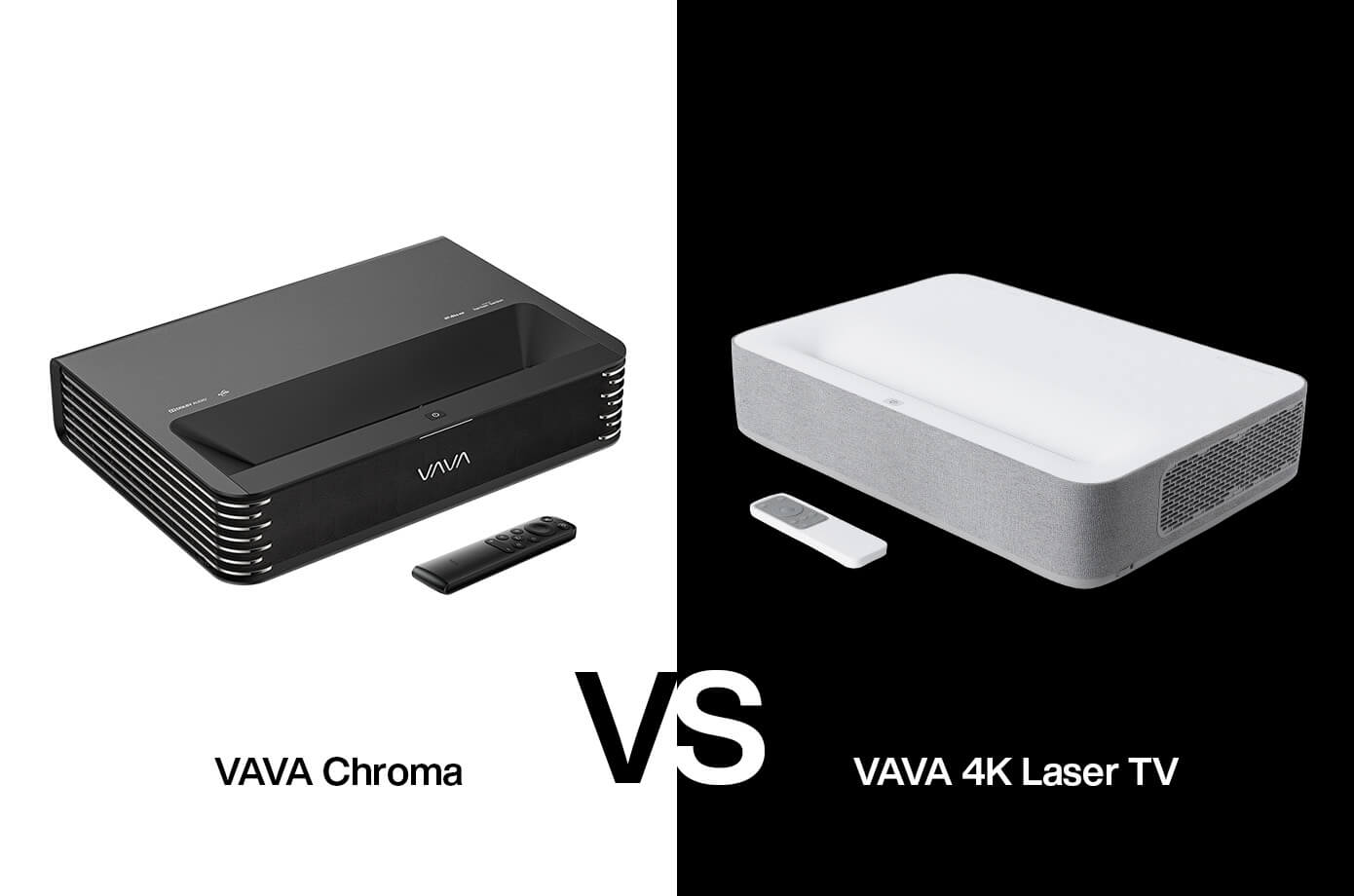
VAVA has some big sales planned for this Holiday season, including incredible deals on our Chroma and 4k projectors. What’s the difference between the two, though? If you’re in the market for a new projector or looking for new tech gear to upgrade your home theater, you may be wondering which projector is right for you - the VAVA Chroma or VAVA 4K.
First things first, both projectors are outfitted with a host of convenient features for your home theater. However, from connectivity and color quality to smart features, price, and more, there are quite a few things that sets the VAVA Chroma and VAVA 4K projector apart from one another.
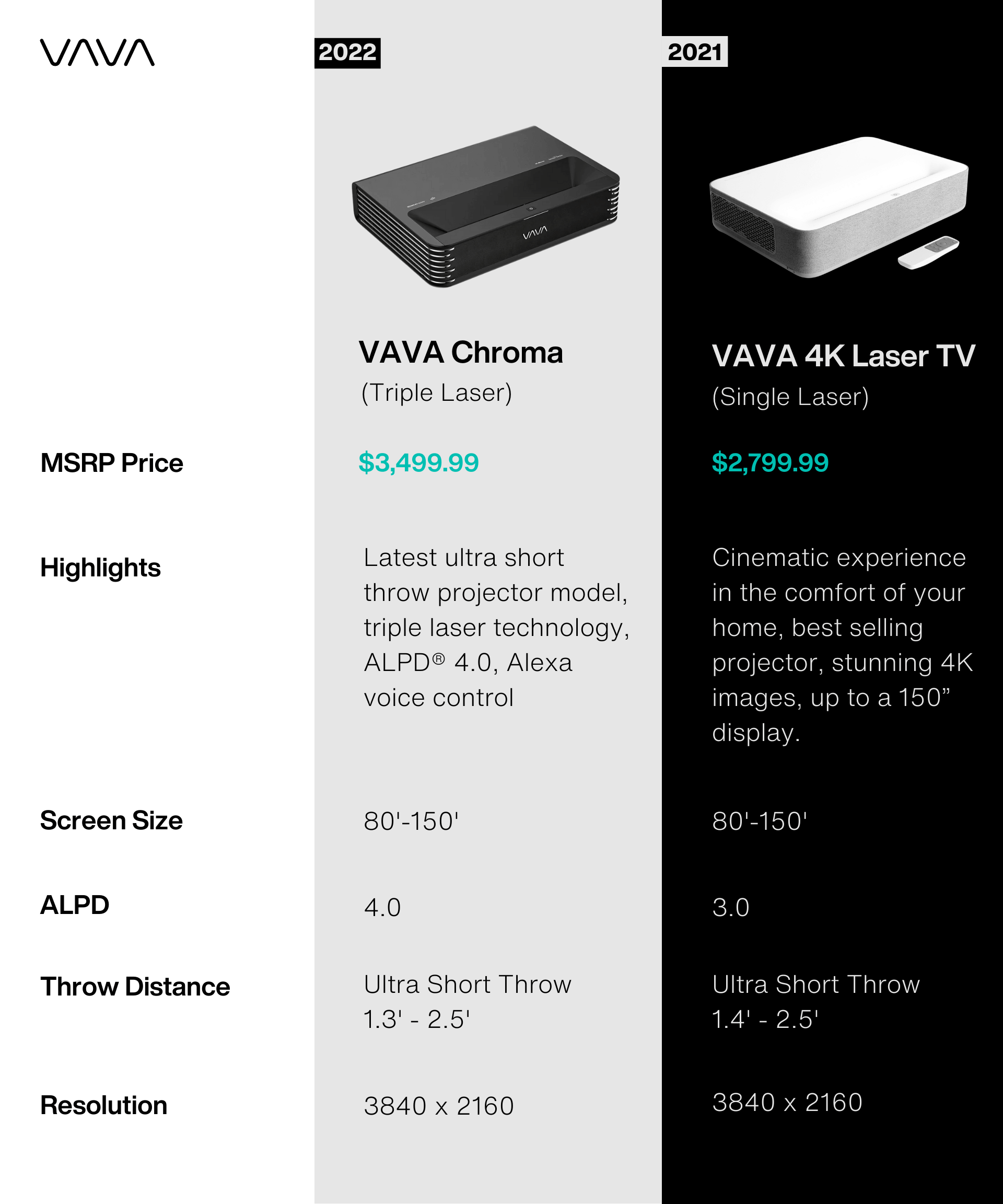
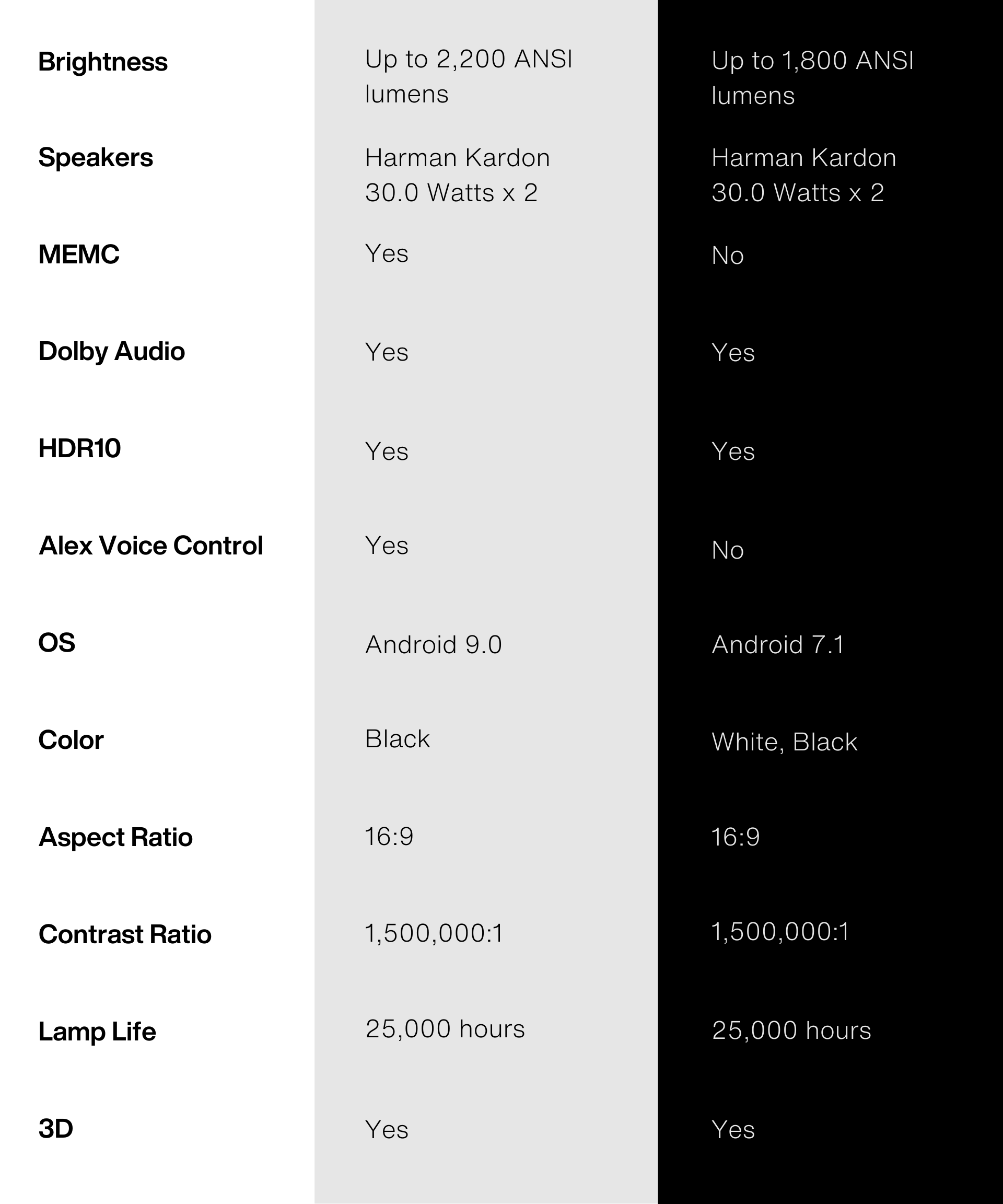
Check out the chart below to get a better look at some of the key differences between the two projectors so you can make the best decision for your home theater set-up when you shop for a VAVA projector.
Different Models, Similar Features
To put it simply, the Chroma is the updated version of the 4K projector. Because of this, the projectors share a lot of features. Released in October 2019, the VAVA 4K was equipped with advanced technology for the time, including ALPD 3.0 laser light technology. The VAVA Chroma was released in late 2021 and has more updated projector technology than its predecessor.
Smart Features
The VAVA 4K relies on an Android operating system and can download streaming apps, including Netflix, Hulu, and Amazon Video, to name a few. However, that's about the extent of the projector's smart features. The Chroma, on the other hand, comes with Alexa voice control without the need for additional accessories. As a result, the Chroma is easier to integrate into an existing smart home entertainment system.
Color Performance: ALPD 3.0 vs. 4.0
The VAVA 4K's ALDP 3.0 laser light source was cutting-edge technology when it was released. It provides a clear image that covers the majority of the DCI-P3 color space. However, the newer Chroma is outfitted with ALDP 4.0, which broadens its color spectrum beyond the DCI-P3 standard, covering 106% of the Rec.2020 gamut for more precise color performance.
Connectivity
The interfaces for the VAVA Chroma and VAVA 4K are the same and include 3 HDMI, 1 USB, 1 AV IN, 1 Audio out, 1 SPDIF, 1 RJ-45. Both also support WIFI and Bluetooth for easy connectivity.
MEMC/Game Mode
One key feature that sets the Chroma and 4K projector apart is MEMC, or game mode. MEMC allows for smoother movements, whether you're watching a movie or playing your favorite video game. The MEMC feature also boasts frame rate latencies as low as 20ms on gaming mode.
The Final Verdict
So, which projector is right for you?
Because of its short throw distance, built-in speakers, and streaming interface, the Chroma's advanced laser light source provides exceptional picture quality with good versatility for different environments.
The VAVA 4K offers many of the same benefits, but at roughly half the price. Because of that, it's a much better value for budget-conscious buyers. It's up to you to decide whether a higher price tag for better picture quality is worth it.
Whichever route you take, you'll get a user-friendly home theater projector capable of producing an immersive, crystal clear image in almost any setting. Read more about VAVA home theater products or about ALPD technology.


Share: