

Baby monitor features can sound similar, but they do not all matter in the same way. The right choice depends on how you plan to check your baby, how your home is laid out, and how much setup you want to deal with every day.
Before you compare screens, cameras, and extra tools, start with the basics. A good baby monitor should help you see your baby clearly, hear important sounds, move around your home without losing the feed, and set up the camera safely.
This checklist is built around real buying decisions, not a long feature list. You will see how to weigh the features that affect daily use, from connection type and picture quality to range, nighttime checks, and safe setup, so you can choose what your family actually needs.
What Should You Decide Before Comparing Baby Monitor Features?
Before you compare individual features, decide how you will use the monitor at home. Start with four things: where you want to check the feed, how far the signal needs to reach, how many rooms or children you need to watch, and which features are must-haves instead of extras.
Your Preferred Way to Check the Monitor
Think about where you will usually check on your baby. If you mainly monitor from the bedroom, kitchen, or living room, a dedicated parent unit may fit better than an app you have to open on your phone.
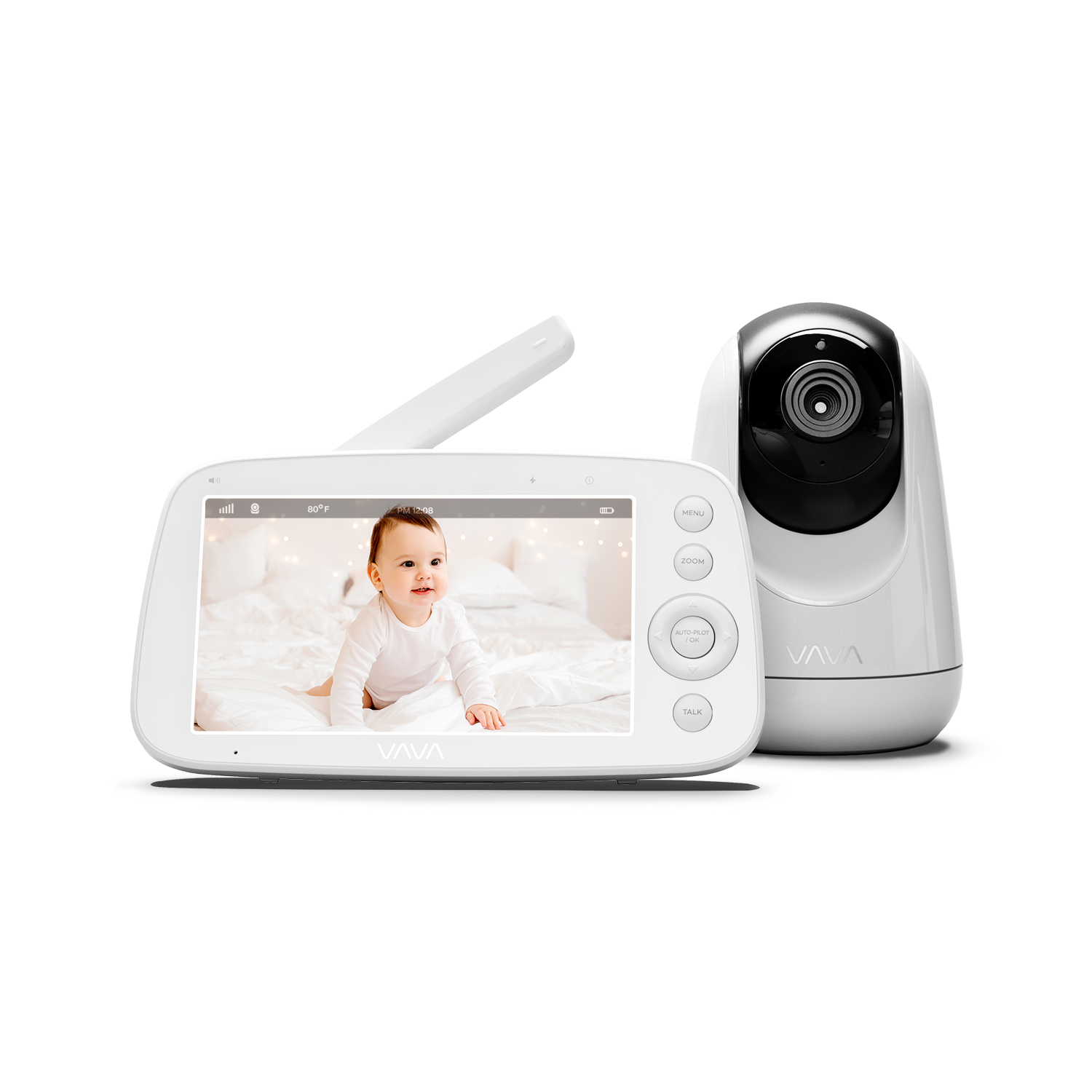
If you want simple in-home viewing, a non-WiFi baby monitor is often the cleaner choice. VAVA’s non-WiFi baby monitors connect the camera directly to a parent unit, so the live feed does not rely on your phone, an app account, or home internet.
Your Home Size and Daily Movement
A monitor for a small apartment does not need the same range as one used across two floors or out near a patio. Think about where you will carry the parent unit while your baby naps.
Range, battery life, and signal stability matter most when you move from room to room. If the monitor mostly stays on your nightstand, screen size and night vision may matter more.
Your Number of Rooms or Children
A single-camera setup can be enough for one crib. If you need to watch two rooms, two children, or two angles in one nursery, check for split-screen viewing or multi-camera support before you buy.
Compatibility matters here. Add-on cameras and replacement parent units do not always work across every model, so check the exact system before planning to expand later.
Your Must-Have Features and Nice-to-Have Extras
A higher price does not always mean a better fit. Most families should start with clear video, night vision, reliable audio, safe camera placement, and a viewing setup they will use every day.
Advanced tools like breathing tracking, app alerts, and sleep reports may help some families, but they are not must-haves for every nursery. If a feature adds setup without solving a real problem in your home, leave it off your priority list.
What Features Matter Most for Everyday Baby Monitoring?
Once you know how you plan to use the monitor, look at the features that affect every check-in. These are the features you will notice during naps, overnight wake-ups, and quick checks from another room.

Clear Video on a Screen You Can Read
Video quality should be clear enough to show your baby’s position, crib area, and movement. You do not need the highest resolution available if the screen is small and the nursery view is simple.
A 720P baby monitor can work well on a 5-inch parent unit for daily checks. If you want a larger screen or sharper detail, a 1080P model may be a better fit.
VAVA’s 8-inch 1080P baby monitor is a stronger match for parents who want a larger view from a nightstand, couch, or kitchen counter.
Night Vision for Dark Rooms
Night vision matters because many baby checks happen when the nursery is dark. The monitor should let you see the crib without turning on a light or walking into the room too soon.
Most night vision feeds appear in black and white. That is normal. When you compare monitors, focus on whether the nighttime image is clear enough to show your baby’s position and movement.
Clear Audio and Two-Way Talk
Audio helps you notice changes before you look at the screen. A good monitor should pick up cries and meaningful movement without making every small sound feel urgent.
Two-way talk can help as your baby gets older. Some parents use it to comfort a toddler from another room before going in.
Battery Life That Supports Real Use
Battery life matters most when you carry the parent unit around the home. If the screen needs constant charging, you may stop using it the way you planned.
Think about your longest daily stretch of use. For many parents, that means nap time, evening chores, or overnight checks from a bedroom.
A Parent Unit That Fits Your Routine
A dedicated parent unit can be easier for in-home checks because it stays separate from your phone. You can leave it on a nightstand, carry it into the kitchen, or keep it nearby during naps.
This is one reason VAVA baby monitors fit parents who prefer a screen-based setup. The monitor is there when you need it, without opening an app or relying on phone notifications.
Should You Choose a Non-WiFi Baby Monitor or an App-Based Monitor?
Connection type affects how you check the feed every day. Before you compare extra features, decide whether you want a dedicated parent unit, phone-based viewing, or a system that offers both.
A Dedicated Parent Unit Keeps Daily Checks Simple
A dedicated parent unit gives you a separate screen for nursery checks. You can keep it on a nightstand, carry it into another room, or glance at it during naps without opening your phone.
This setup works well for parents who mainly monitor from inside the home. It also keeps baby monitoring separate from calls, messages, and app notifications.
A Closed Local Connection Avoids App and Internet Dependence
A non-WiFi baby monitor does not need your home internet for the live feed. The camera connects directly to the parent unit through a local wireless signal.
VAVA’s non-WiFi baby monitors follow this setup. They are designed for parents who want in-home monitoring without an app account, cloud setup, or phone screen.
Wi-Fi Security Still Matters If You Choose an App Monitor
If you choose a Wi-Fi or app-based monitor, check the security settings before using it. Look for account protection, strong password options, software updates, and two-factor authentication when available.
Wi-Fi monitors can be useful when remote viewing matters. They may also require app setup, account login, home Wi-Fi pairing, software updates, and privacy settings, so they are not automatically the better choice for every family.
VAVA’s Feature Set Fits Parents Who Prefer No-App Monitoring
VAVA’s baby monitor lineup is strongest for parents who want a dedicated screen, simple setup, and reliable in-home checks. Features like 720P and 1080P displays, split-screen options, portable parent units, and compatible accessories support that use case.
This does not mean every family should avoid app-based monitors. It means your connection choice should match your routine instead of following the longest feature list.
How Does Your Home Setup Affect the Features You Need?
Your home setup affects which baby monitor features are worth paying for. A small apartment, a larger home, and a house with two children may need different monitor setups.

Small Homes Need Simple, Reliable Basics
If your nursery is close to your bedroom or living room, you may not need the longest possible range, multiple cameras, or split-screen viewing. A simple setup can be easier to use.
For a smaller home, focus first on clear video, night vision, reliable audio, and a parent unit that is easy to check. One camera is usually enough if you only need one crib view.
Larger Homes Need Stronger Range and Room-to-Room Use
If you move between floors or spend nap time in different rooms, range and battery life become more important. The parent unit should work where you actually spend time, not only next to the nursery.
Walls, floors, furniture, appliances, and other wireless devices can reduce signal strength. VAVA portable baby monitors can reach up to 300 meters in an open, straight-line environment when the camera antenna is positioned correctly, but real home range may be shorter.
If the signal feels weak, test the monitor in the rooms where you plan to use it. For portable baby monitor models, raising the camera antenna to about 90° can help support a stronger connection.
Multi-Room Setups Need Camera Support and Split-Screen Options
If you need to watch two rooms, two children, or two angles in one nursery, check camera support before you buy. The key question is whether the monitor can grow with your setup.
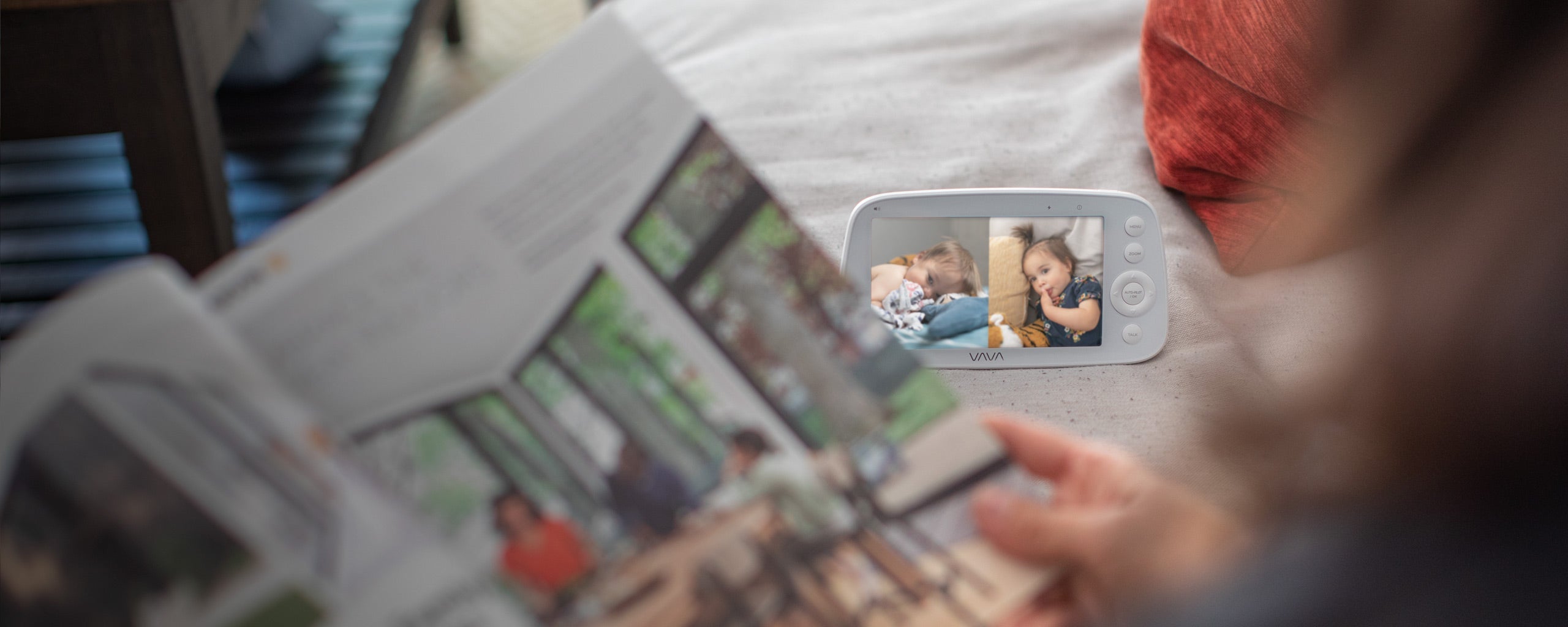
Multi-camera support lets you add another camera. Split-screen viewing solves a different problem: it lets you see two views at the same time instead of switching back and forth.
VAVA’s split-screen baby monitor can fit families watching two children, two rooms, or two camera angles from one parent unit. If you only monitor one crib, this feature may not add much value.
What Nighttime Features Should You Look For?
Nighttime checks are usually quick. You want to see what is happening, hear important sounds, and avoid turning on bright lights unless your baby needs you.
Night Vision
Night vision lets you check the crib while the nursery stays dark. This is one of the most useful baby monitor features for overnight use.
Most night vision feeds appear in black and white. That is normal. When you compare monitors, focus on whether the nighttime image is clear enough to show your baby’s position and movement.
Nighttime Audio
Clear audio helps you hear cries, stirring, or changes in nursery noise without keeping the screen on all night. Adjustable volume is more useful than a monitor that is either too loud or too quiet.
Some parent units also show sound level lights. These are small indicators on the parent screen or device, not lights in the nursery. They can help when you lower the volume, but clear audio matters more.
Temperature and Humidity
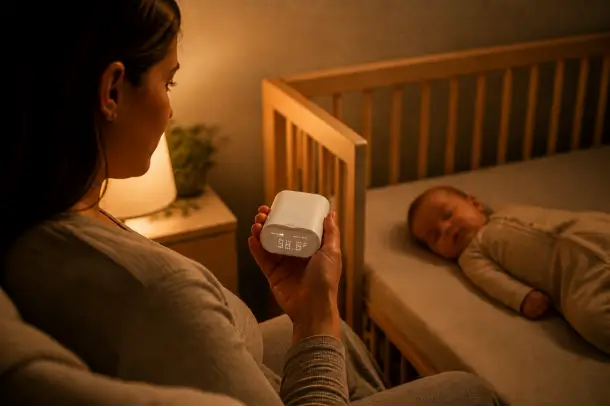
Temperature and humidity features can help you notice if the nursery feels too warm, too cool, or too dry. Treat them as comfort checks, not as medical or safe-sleep guarantees.
If a monitor only shows room temperature, do not treat it as a full nursery environment system. Use it as one signal alongside how the room feels and how your baby is dressed.
Lullabies and Night Light
Built-in lullabies, white noise, or a baby night light can help if they match your bedtime routine. These features are most useful when they are easy to control from the parent unit.
VAVA’s 720P Video Baby Monitor PRO includes a built-in night light on the camera base, making quick nursery checks and bedtime routines easier.
What Safety and Setup Details Should Parents Check Before Buying?
A baby monitor should be easy to use, but it also needs a safe setup. Before you buy, check whether the monitor can be placed securely, kept away from the crib, and tested in the rooms where you will use it.

Safe Camera and Cord Placement
Keep monitor cords out of your baby’s reach. The U.S. Consumer Product Safety Commission warns that baby monitor cords can create a strangulation hazard, so cords should stay at least 3 feet away from the crib.
The camera should also stay outside the crib. Place it where you can see the crib clearly without putting the device, cord, or mount within reach.
Stable Mounting and Viewing Angle
A clear picture depends on where the camera sits. Check whether the monitor can be placed on a stable shelf, mounted safely, or used with a compatible bracket.
Set the viewing angle before daily use. You should be able to see the crib area clearly without moving the camera every night.
Range Testing Before Overnight Use
Test the monitor before relying on it overnight. Carry the parent unit to the rooms where you usually spend time and check whether the signal stays stable.
For non-WiFi monitors, this is especially important in homes with thick walls, multiple floors, or signal interference.
Security Checks for App-Based Monitors
If you choose an app-based monitor, check account and privacy settings before use. A strong password, software updates, and two-factor authentication when available can help protect access.
If you choose a non-WiFi monitor with a dedicated parent unit, you may not need an app account or cloud setup for daily viewing. Still, test the local connection before regular use.
Final Baby Monitor Features Checklist Before You Buy
A baby monitor does not need every feature to be the right choice. Before you buy, use three questions to narrow the list.

Where Will You Check the Monitor Most?
If you mainly check from home, focus on a dedicated parent unit, stable range, battery life, and simple setup. A non-WiFi monitor can make sense when you want in-home viewing without opening an app.
If you need to check from outside the home, then app-based viewing may matter more. In that case, look at account security, software updates, and privacy settings.
How Many Spaces Do You Need to Watch?
If you only need one crib view, a single-camera setup is usually enough. Clear video, night vision, and reliable audio should matter more than extra camera support.
If you need to watch two rooms, two children, or two angles, check for multi-camera support and split-screen viewing before you buy. Also confirm that add-on cameras match the exact monitor model.
Will It Work Safely at Night?
Nighttime use is where small details matter. Check whether the screen is easy to read, night vision is clear, audio volume is adjustable, and the parent unit can last through your usual routine.
Before using the monitor overnight, make sure the camera sits securely and all cords stay at least 3 feet away from the crib.
What Features Are Optional?
Comfort features like temperature display, humidity, lullabies, white noise, or a built-in night light can be useful if they fit your bedtime routine.
Advanced features like app alerts, sleep reports, breathing-related tools, or movement tracking should come last. They are not basic requirements, and health-related features should not replace safe sleep practices, adult supervision, or medical guidance.
If you prefer a dedicated screen instead of app-based viewing, VAVA’s baby monitor lineup is built around that routine. You can choose compact 720P models for simple one-room checks, larger 1080P screens for clearer viewing, split-screen options for two spaces, and portable parent units for room-to-room use. Before adding cameras or accessories, check model compatibility.
Conclusion
The right baby monitor is the one that fits your daily routine. Start with clear video, night vision, reliable audio, safe camera placement, and a viewing setup you will actually use.
From there, let your home guide the rest of the checklist. A smaller space may only need one simple camera setup. A larger home may need stronger range and a parent unit that moves with you. Two rooms or two children may call for split-screen viewing or compatible extra cameras.
If you prefer in-home monitoring with a dedicated screen, VAVA offers baby monitor options with non-WiFi viewing, parent units, portable designs, larger display choices, and split-screen models for different nursery setups.
Choose the features that solve real problems in your home, and skip the ones that only make the monitor harder to use.
FAQs
1. Is a Baby Monitor Worth It If the Nursery Is Close By?
Yes, it can still be useful if you want to check sound, movement, or sleep position without entering the room. If your home is small, you may not need long range, split screen, or multiple cameras. A simple monitor with clear video, night vision, and reliable audio may be enough.
2. What Screen Size Is Best for a Baby Monitor?
A 5-inch screen is usually enough for close, simple checks. A larger screen may be easier to read if you check from a nightstand, couch, or kitchen counter, especially at night. The best size depends on how far you usually sit from the parent unit.
3. Can One Baby Monitor Work With Multiple Cameras?
Some baby monitors support multiple cameras, but compatibility depends on the exact model. Before buying an add-on camera, check whether it works with your current parent unit. This matters more than the number of cameras listed on the product page.
4. Is Breathing or Movement Tracking Necessary in a Baby Monitor?
No, breathing or movement tracking is not necessary for every baby monitor. These features may appear in app-based monitors, wearables, or sensor-based systems, but they should not be treated as medical monitoring.
For many families, clear video, night vision, reliable audio, safe setup, range, and battery life matter more in daily use. Health-related features should not replace safe sleep practices, adult supervision, or medical guidance.
5. When Should Parents Stop Using a Baby Monitor?
There is no fixed age. Some parents stop when their child sleeps reliably and can call for help, while others keep using one during toddler years, especially in larger homes or separate rooms. The best time to stop depends on your child’s sleep habits, room setup, and your comfort level.
Share: