

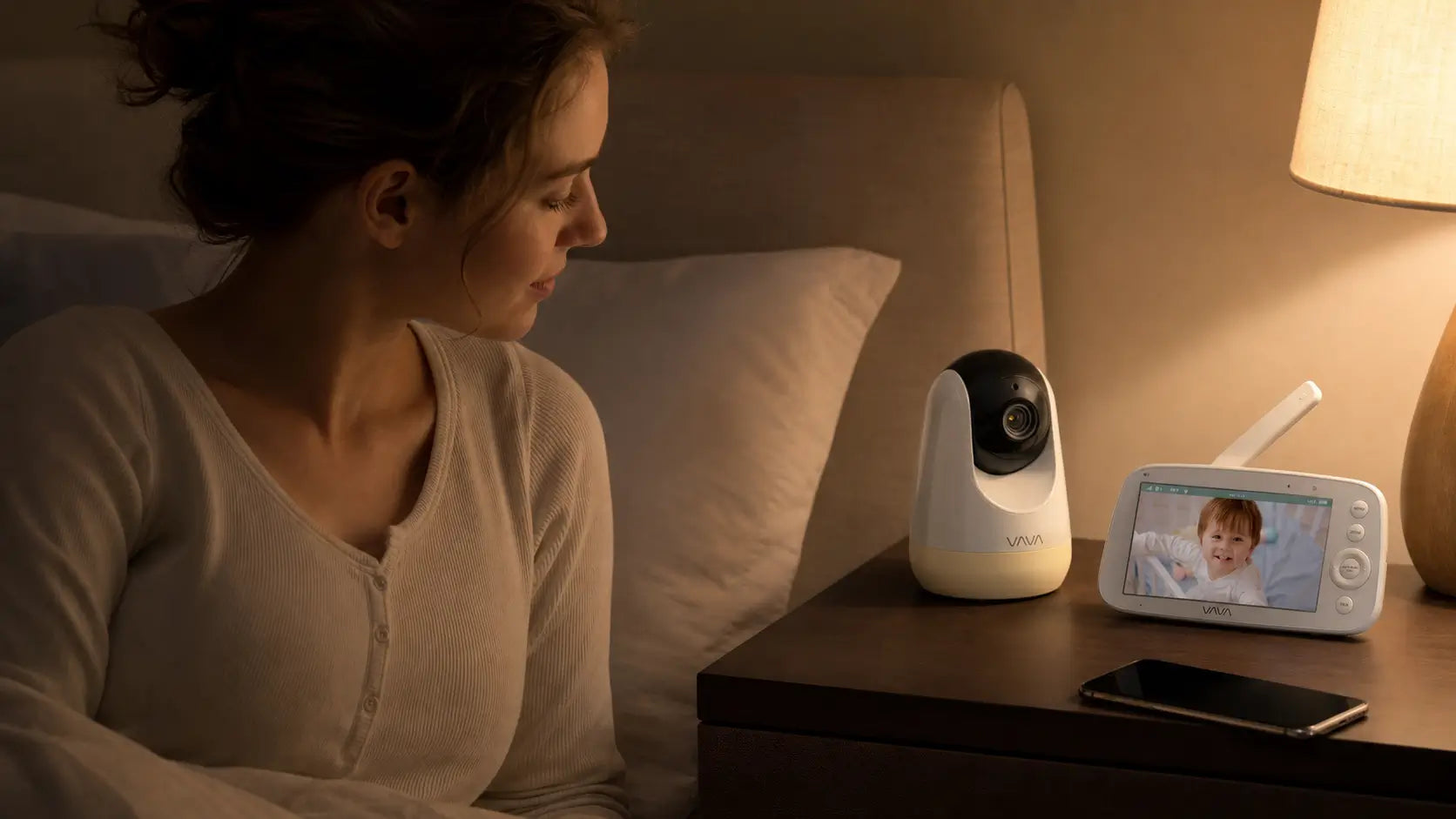
A baby monitor helps you make small decisions without walking into the nursery every time you hear a sound.
Picture an evening when dinner is on the stove, your phone is charging in another room, and your baby has just started to stir. A dedicated-screen monitor can stay on the kitchen counter or beside your bed, ready for a quick check. An app-based monitor puts the same check on your phone and can be more useful when you want to look in while you are away from home.
The best setup depends on where you check in, whether you want monitoring to stay separate from your personal phone, and how many rooms you need to watch. This guide compares dedicated screens and app viewing for everyday home checks, remote access, family handoffs, and multi-room monitoring, then explains what to confirm before you buy.

Is a Baby Monitor With a Screen or App Better for Everyday Family Checks?
For everyday checks at home, a dedicated screen gives many families a more direct way to stay connected to the nursery. The parent unit can sit beside the bed, on the kitchen counter, or with the caregiver handling the next shift. A phone app can suit families who prefer phone viewing or need to check in away from home.
A Separate Monitor for At-Home Checks
A phone app can show the same live picture and nursery sound as a dedicated screen. The difference is that a parent unit gives monitoring its own device. It can stay on beside the bed, on the kitchen counter, or near the sofa while your phone is charging, receiving calls, or being used for something else.
For example, when you are cooking and hear a small sound from the nursery, you can look at the parent unit already in front of you instead of finding your phone, unlocking it, and opening an app. That can make routine checks simpler when you are mainly monitoring at home.
The VAVA 720P PRO uses a 5-inch parent unit and a 2.4 GHz connection that does not need Wi-Fi. It supports two-way audio and has eight brightness and volume levels, so you can adjust the screen and sound for the room where you are using it.

Simple to Share During Family Care
A dedicated parent unit can be easier to share when a partner, grandparent, or babysitter is looking after your child for a few hours. You can hand over one device that is already paired with the camera and already set to the right room. The next person can place it nearby, adjust the volume or brightness, and check the live view without downloading an app, signing in, or using someone else’s personal phone.
With an app-based monitor, each person may need access to the correct app and account before they can view the feed. That can be perfectly practical for regular caregivers who already have access. For occasional handoffs, a separate parent unit keeps the monitoring device and personal phone separate, so the person caring for the baby has what they need without borrowing or configuring a phone.
|
Everyday situation |
Dedicated-screen routine |
App-based routine |
|
A small sound after bedtime |
Glance at the parent unit beside the bed to see whether your child is settling, then decide whether to go in. |
Unlock the phone and open the monitor app to view the feed. |
|
You are moving between rooms at home |
Carry the parent unit with you and keep the nursery picture and sound on a separate device. |
Use the phone to view the feed while it also handles calls, messages, and other everyday tasks. |
|
A family member is caring for your child for a few hours |
Hand over the parent unit already paired with the camera. They can place it nearby and use the existing view, volume, and brightness settings. |
Make sure the caregiver has the correct phone, the monitor app, and the necessary account access before they can view the feed. |
|
You want to check in while away from home |
A dedicated parent unit is designed for checks within its connection range at home. |
A phone app can be the more practical option when remote viewing is part of your routine and an internet connection is available. |
How Can You Choose a Baby Monitor Setup That Fits Your Home?
Start with the question you want the monitor to answer. Perhaps you want to tell whether a small sound needs your attention, keep two children in view, or make nighttime checks without reaching for your phone.
Choose a Baby Monitor Setup Based on Your Daily Checks
The right setup becomes clearer when you look at the moments when you will actually use it.
|
If this sounds like your routine |
The setup to consider |
Why |
|---|---|---|
|
You mainly check in from rooms around your home and want the monitor ready beside you. |
A dedicated-screen monitor |
The parent unit can stay on as a separate device, without using your personal phone or home Wi-Fi. |
|
You want to check the nursery while you are away from home. |
An app-based monitor |
The feed is available on your phone when remote viewing is part of your routine. |
|
Your phone is often charging, being used for work, calls, messages, or entertainment in the evening. |
A dedicated-screen monitor |
Monitoring stays available even when your phone is busy. |
|
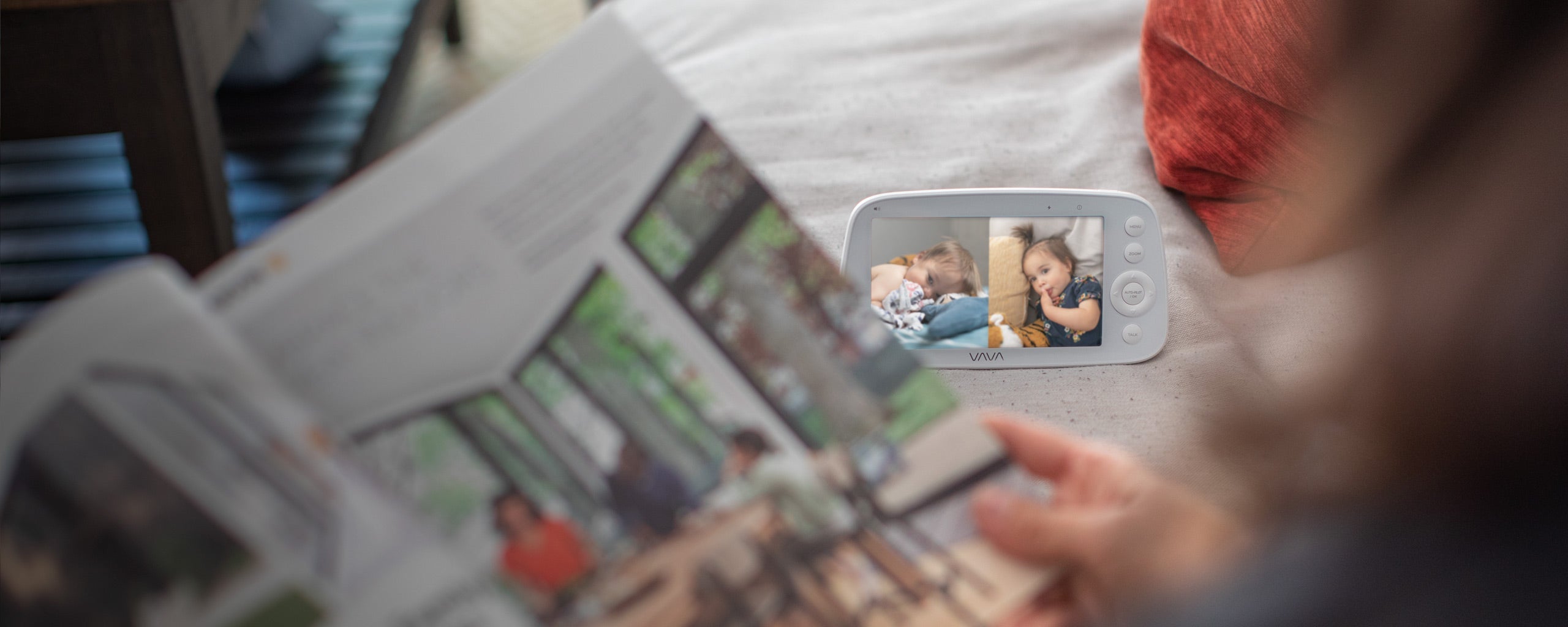
You need to watch two children in separate rooms or use two camera angles. |
A split-screen monitor |
You can see more than one live view on one parent unit. |
|
A partner, grandparent, or babysitter will sometimes take over for a few hours. |
A dedicated-screen monitor |
You can hand over a parent unit that is already paired with the camera, instead of setting up an app and account access on another phone. |
For nighttime use, decide how you want to be alerted to smaller sounds. Some parents prefer to keep the nursery audio on at a low level. Others prefer to lower the volume and use a visual noise indicator, then turn the sound up when they need a closer check. This is a practical choice about what will let you rest while still noticing when your child needs you.

The VAVA Baby Monitor with Split Screen includes two cameras and shows two live feeds on one parent unit. It has seven volume levels and noise-indicator lights, which gives you the option to keep sound lower while still seeing when noise in the nursery increases. It also supports up to four cameras.
Before You Buy: Confirm Your Camera Setup
Before ordering, confirm how many rooms or viewing angles you need now and whether you may add cameras later. Check the exact model number and the add-on cameras listed as compatible.
If you mainly want a separate monitor that stays ready at home, explore the non-WiFi baby monitor.
After setup, test the monitor where you will actually use it. Check the view and sound from your bedroom, carry the parent unit to the rooms where you spend the evening, and test it with normal doors, household noise, and room lighting.
For a broader comparison, see VAVA’s how choose a baby monitor guide.

Conclusion
A dedicated-screen baby monitor is a strong fit if you want a separate, ready-to-use device for everyday checks at home. An app-based monitor may suit you better if viewing from your phone or checking in while away is a priority.
For one nursery, VAVA 720P PRO offers a dedicated parent unit for simple day-to-day monitoring. If you need to view two rooms or two angles at once, VAVA Baby Monitor with Split Screen provides two live feeds on one parent unit and supports up to four cameras.
Whichever setup you choose, a baby monitor is a tool for staying connected, not a replacement for safe sleep practices or direct care. Follow safe-sleep guidance by placing babies on their backs on a firm, flat, safety-approved sleep surface with a fitted sheet and no soft bedding or toys in the sleep area.
FAQs
1. Do I Need a Baby Monitor in a Small Home?
The useful question is whether you can reliably hear and check on your child from the rooms where you spend the evening. Closed doors, television, guests, or a long hallway can change what you can hear.
2. Can I Take a Dedicated-Screen Monitor to a Grandparent’s House or on a Trip?
A portable baby monitor can be convenient for visits because you bring the camera and parent unit with you, rather than needing to set up a new home network first.
3. How Can I Keep the Monitor From Disrupting My Sleep?
Check the nighttime controls. Parents commonly care about whether they can lower the sound, reduce screen brightness, use a sound-activated alert, or rely on a visual noise cue instead of leaving a bright screen on all night.
4. Can I Use an Older VAVA Camera With the 720P PRO?
No. The 720P PRO is not compatible with the original 720P Baby Monitor or its cameras. Check the exact model number before ordering a replacement or add-on.
5. What Happens If I Need a Replacement Parent Unit?
A replacement parent unit may be available, but compatibility matters. Confirm the model before purchasing a replacement screen.
6. Which Features Are Worth Paying Attention To First?
Start with night view, adjustable sound, battery life, portability, and the number of rooms you need to watch. For a closer look at those features, see VAVA’s baby monitor buying guide.
Share: