

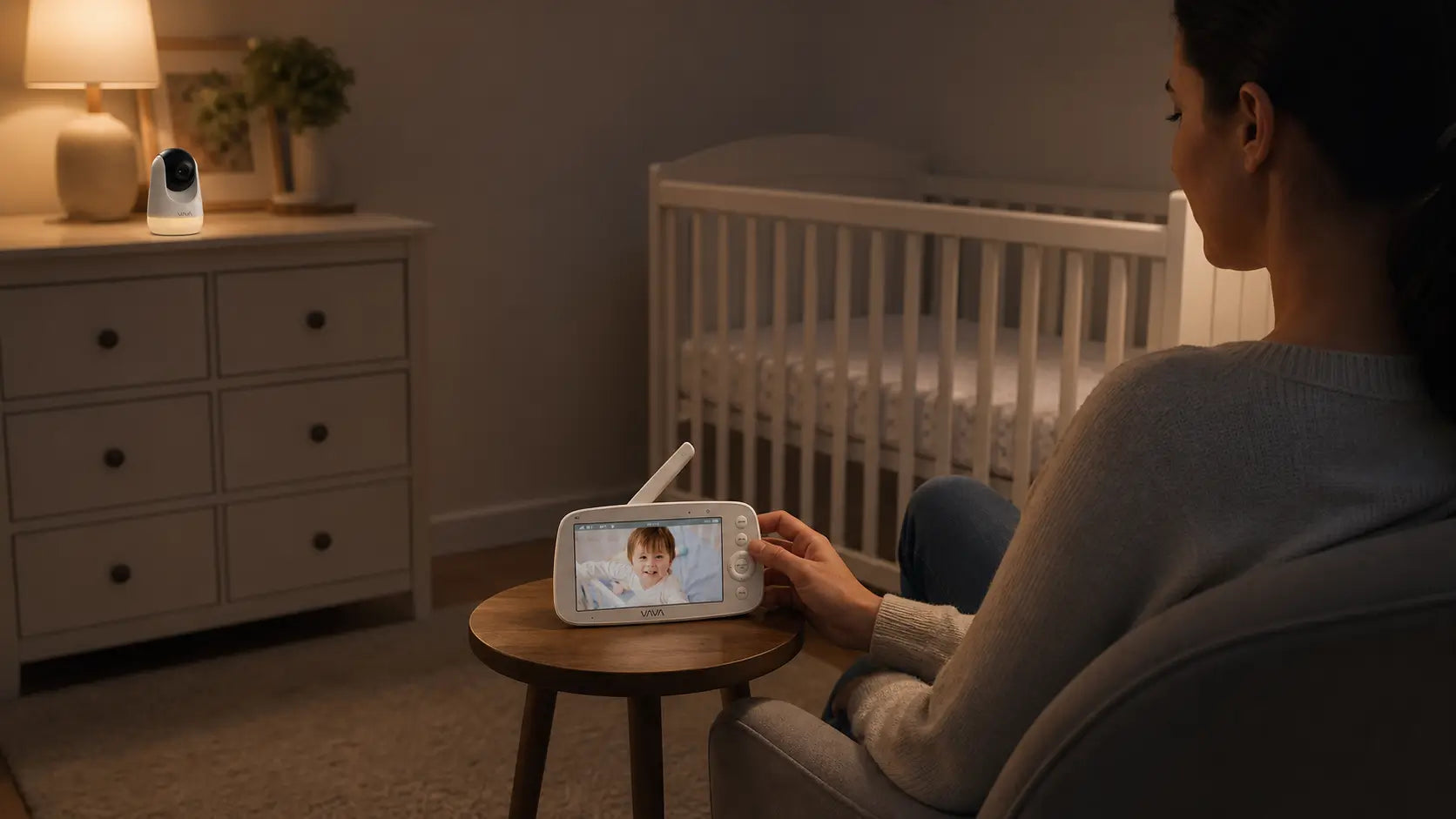
At the end of a late feed, you may want to check the nursery without unlocking your phone or opening an app. You may also not want that check to depend on whether the home network is behaving.
A closed-circuit baby monitor gives you a separate parent unit for checking the nursery. It usually uses a local connection between the camera and screen, rather than making a phone app the main viewing point. That can suit a family that wants a dedicated screen at bedtime or an easy handoff between caregivers.
This guide helps you decide whether a dedicated-screen or app-based monitor fits your routine, how many rooms or camera angles you need to cover, and what to confirm before using it at home.

What Is a Closed-Circuit Baby Monitor?
A closed-circuit baby monitor usually sends the camera's video and audio to a dedicated parent unit in your home, rather than making a phone app the main way you check the nursery. In practical terms, you hear a noise after bedtime, pick up the parent unit, and see whether your baby needs you.
Locally connected monitors send the feed to a receiver in the home, while Wi-Fi models send it through the internet to an app or another connected device, as Consumer Reports explains.
A Dedicated Screen for Nursery Checks
The main difference is where the check happens. With a parent-unit monitor, you can leave the screen beside the bed after a late feed, carry it to the kitchen while you wash bottles, or hand it to the caregiver taking the next shift. You do not need to unlock a phone or open an app just to take a quick look.
That can be helpful when several adults share care. One person can put the parent unit on the nightstand before going to sleep; the next person can pick up the same device when the baby wakes.
What the Local Connection Changes
A local parent unit can keep nursery viewing separate from your phone and home internet routine. If your Wi-Fi drops or your router is restarting, a monitor that does not rely on Wi-Fi for its camera-to-parent-unit connection can keep supporting the in-home checks you need.
The American Academy of Pediatrics advises parents to consider reception, viewing clarity, interference, and the product instructions when using a baby monitor. Before buying, picture the route between the nursery, your bedroom, and the rooms where you spend the evening.

Why Do Parents Choose a Non-WiFi Baby Monitor?
Parents usually choose a non-WiFi baby monitor to keep routine nursery checks independent of their home internet and phone app. A local parent-unit setup can reduce the online steps involved in everyday viewing, keep a dedicated screen ready at night, and continue to serve its in-home purpose when the router or internet connection is not available.
Keeping Everyday Nursery Video Local
For everyday in-home monitoring, a non-WiFi connection gives parents a more private and self-contained way to check the nursery. The camera feed stays within the monitor system instead of travelling through a home router, cloud account, or phone app. That means a late-night check can stay between the camera and the parent unit, without adding app permissions, account access, or remote-sharing settings to the routine.
The VAVA 720P Video Baby Monitor PRO is built for this kind of monitoring. Its upgraded chipset uses a stable 2.4GHz local connection and enhanced H.264 transmission to deliver a smoother, real-time feed to the 5-inch 720P parent unit.
A More Reliable Nighttime Monitoring Routine
The practical advantage is that your nursery monitor is not competing with the rest of your connected home. You do not need to wonder whether the router has restarted, whether the app needs an update, whether your phone is charged, or whether someone else is using the device that normally receives the alerts.
VAVA supports that routine with a 4500mAh parent-unit battery rated for more than 24 hours of use, so the screen can stay beside the bed, move to the kitchen while you prepare bottles, or go with the caregiver taking the next shift.
A System That Can Grow Beyond One Room
Non-WiFi does not have to mean a basic, one-camera setup. The VAVA 720P Video Baby Monitor PRO can pair with and switch between up to four PRO-compatible cameras. That gives a family room to monitor a nursery plus a playroom, or prepare for a second child, while keeping viewing on the same dedicated parent unit.
What Should You Compare Before Choosing a Non-WiFi Baby Monitor?
Compare a non-WiFi baby monitor in the same order you will use it at home: first, make sure the signal can cover your routine; then choose the right number of cameras; finally, check whether the screen and controls make everyday monitoring easier.
Start With the Rooms You Need to Cover
Begin with the route between the nursery and the places where you spend the evening. A monitor may need to reach from an upstairs nursery to your bedroom, from the nursery to the kitchen during dinner, or between two children's rooms.
Start with the baby monitor range you need from room to room. The VAVA 720P Video Baby Monitor PRO uses a stable 2.4GHz connection with up to 300m of open-area coverage, giving you a practical starting point when mapping your home.
Choose a Camera Plan Before Comparing Extras
One camera is usually enough when one nursery is the only room you need to check. Two cameras become more useful when you monitor twins, siblings in separate rooms, a nursery and playroom, or two different views of one larger space.
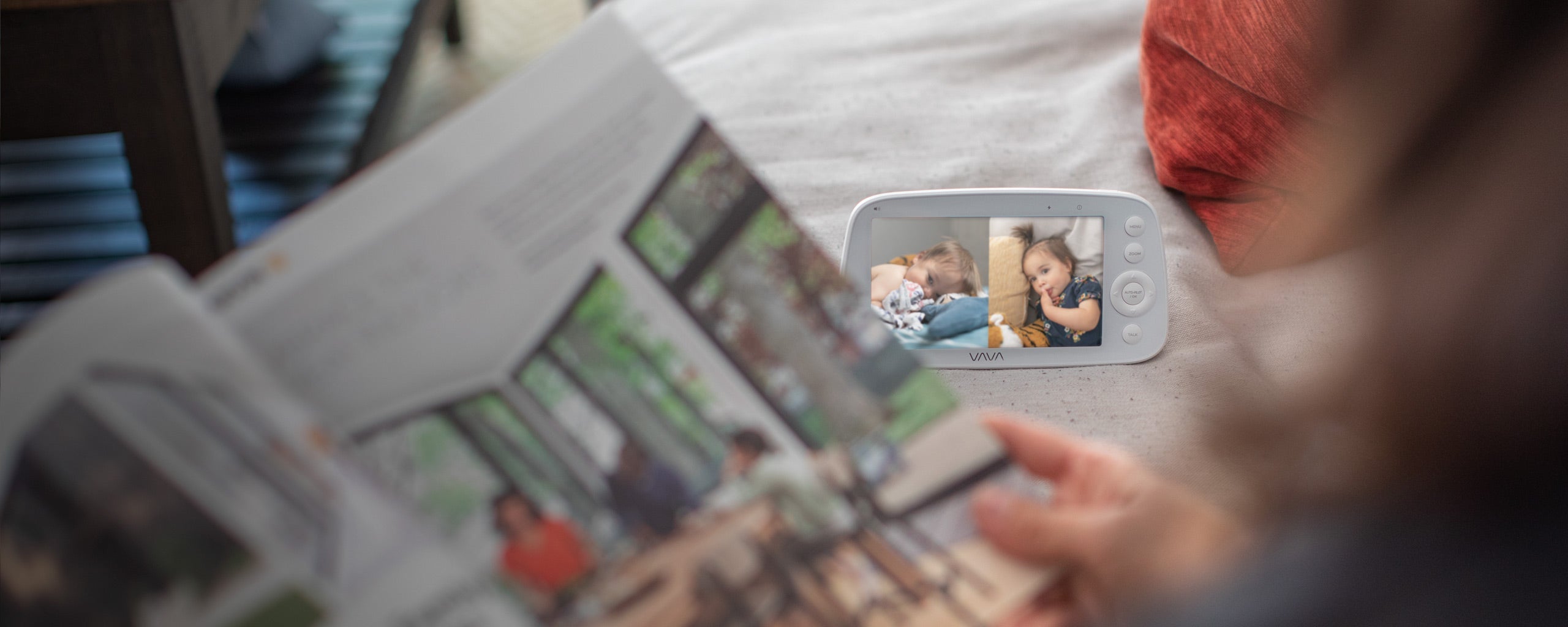
The important comparison is not simply one camera versus two. Ask whether you need to check one room at a time, switch between rooms, or see two children simultaneously.
Compare the Screen and Live View for Nighttime Checks
The parent unit is the part you use most, so screen quality matters more than it may seem on a feature list. During a quick nighttime check, you want to see whether your child is sleeping comfortably or whether a sound needs your attention.
The VAVA 720P PRO combines a 5-inch IPS display with 720P video, 2X and 4X zoom, and automatic night vision with invisible 940nm infrared LEDs. Its 270 degree horizontal and 108 degree vertical camera movement can help one camera cover a crib, changing area, and floor space.
Check Whether the System Works for Shared Care
A monitor becomes part of the handoff between parents, grandparents, and babysitters. Look for controls that are easy to understand when someone is tired: volume, brightness, camera switching, talk-back, and alerts should be available from the parent unit.
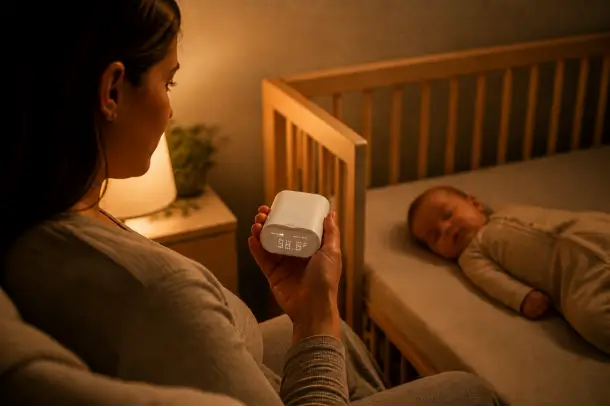
The VAVA 720P PRO also provides two-way talk, room-temperature alerts, and eight brightness and volume levels, so caregivers can check, respond, and adjust the monitor from one device.
Choose the Right Expansion Path
If you may add a camera later, the VAVA 720P PRO lets you begin with one nursery and connect up to four PRO-compatible cameras as your setup changes. If you already need to see two rooms or two children at the same time, the VAVA Split Screen Baby Monitor with 2 Cameras includes two cameras and displays two live views on one parent unit.
Once those answers are clear, baby monitor features such as zoom, pan-and-tilt control, battery life, talk-back, and alerts become easier to compare.

What Can a Baby Monitor Do for Safe Sleep?
A baby monitor helps you check on your baby from another room. It can let you hear a wake-up, see when your child needs attention, and avoid entering the nursery for every small sound. Safe sleep, however, begins with the sleep space itself: where your baby sleeps and what is in that space.
Create the Sleep Space First
Before choosing a camera angle or turning on the monitor, set up the sleep area for the baby's age and stage. The CDC recommends placing babies on their backs on a firm, flat, safety-approved sleep surface with only a fitted sheet.
For young babies, that means keeping pillows, loose blankets, stuffed toys, and other soft items out of the crib, bassinet, or play yard. A monitor can show you the room, but the safe sleep environment should already be in place before the camera becomes part of the routine.
Use the Monitor for Checks and Care
The monitor is most useful as a cue for a parent or caregiver to check on the baby. You may hear crying after a late feed, notice that your child has woken from a nap, or see that a toddler is calling for you before getting out of bed.
This is especially helpful when your baby sleeps in a separate sleep space in your room or when you are moving between the kitchen, bedroom, and living room during the evening.
Keep Product Claims in Perspective
A video monitor can offer reassurance and make nursery checks easier, but it is not a sleep-safety device or a substitute for safe-sleep practices. The U.S. Food and Drug Administration cautions parents not to rely on baby products that claim to prevent or reduce SIDS.
If a baby has a breathing, feeding, or health concern, ask your child's healthcare professional what monitoring, if any, is appropriate. A consumer video monitor is designed to help with everyday observation rather than to make a medical assessment.
Place the Camera and Cord With Care
Once the sleep space is ready, place the camera where it gives you a useful view without putting equipment within reach of the baby. The Consumer Product Safety Commission advises keeping monitor cords at least 3 feet from a crib, bassinet, or play yard.
A good camera position lets you see the sleep area while keeping the cord routed safely away from the crib.

Which VAVA Baby Monitor Fits Your Nursery?
Choose the VAVA monitor around the number of spaces you need to see now and the way you expect to use the system later. The 720P PRO suits families who want a private, no-WiFi monitor for one nursery with room to add cameras. The Split Screen Baby Monitor with 2 Cameras suits families who already need to watch two children, two rooms, or two areas at the same time.
For One Nursery With Room to Expand
The VAVA 720P Video Baby Monitor PRO is the best starting point when you are monitoring one nursery and want a dedicated parent unit instead of a phone app. Its upgraded 2.4GHz local connection, 5-inch 720P screen, 24+ hour battery, night vision, and remote pan-and-tilt controls support everyday checks from another room.
It is also the more flexible choice if you may add a camera later. You can begin with one view for the nursery and connect up to four PRO-compatible cameras as your home setup changes.

For Two Children or Two Rooms
The VAVA Split Screen Baby Monitor with 2 Cameras is the more direct option when two live views matter from day one. It includes two cameras and displays both feeds on one parent unit, so a caregiver can check two sleeping children or two separate spaces without switching between camera views.
This setup is particularly useful for twins in separate cribs, siblings with different bedtime routines, or a baby who naps in one space and plays in another.

Conclusion
The best baby monitor does not need to make parenting feel more complicated. It should give you a simple way to check the nursery, hear when your child needs you, and return your attention to the rest of the evening.
For families who want those checks to stay private, phone-free, and independent of home Wi-Fi, a closed-circuit monitor offers a calm, practical setup. Choose the VAVA 720P Video Baby Monitor PRO for one nursery and the freedom to add cameras later. If two children or two rooms need your attention at once, choose the VAVA Split Screen Baby Monitor with 2 Cameras for two live views on one parent unit.
A monitor cannot do the caring for you, but the right one can make those small moments of checking in feel easier. Choose the setup that fits your home, set it up with care, and let it support the routine your family is building each night.
FAQs
1. Is a closed-circuit baby monitor the same as a non-WiFi baby monitor?
Usually, yes. In baby-monitor shopping, closed-circuit commonly refers to a camera that sends video and audio to a dedicated parent unit through a local connection rather than making a phone app and home Wi-Fi the main viewing method.
Confirm the connection method in the product details before choosing a model. The VAVA 720P Video Baby Monitor PRO is a no-WiFi model with a dedicated parent unit.
2. Will a non-WiFi baby monitor still work if my home internet goes down?
Yes. A non-WiFi monitor uses its own local camera-to-parent-unit connection for everyday in-home viewing, so your nursery checks do not depend on the internet connection or a router working normally.
This is one reason many families choose a dedicated parent unit for bedtime and overnight monitoring.
3. Is a non-WiFi baby monitor more private than a WiFi monitor?
For everyday in-home monitoring, a non-WiFi monitor offers a more private setup because the live nursery feed stays off the internet. You do not need a cloud account, remote-sharing setting, or phone app to check the camera from another room.
4. How far can the VAVA 720P Video Baby Monitor PRO reach?
The VAVA 720P Video Baby Monitor PRO provides up to 300m of coverage in an open area through its 2.4GHz local connection. This gives parents the freedom to keep the parent unit nearby while moving between the nursery, bedroom, kitchen, and living room.
5. Can I add more cameras to the VAVA 720P Video Baby Monitor PRO?
Yes. The VAVA 720P Video Baby Monitor PRO can connect with up to four PRO-compatible cameras. You can begin with one camera in the nursery and add views for another child's room, playroom, or another part of your home later.
6. Should I choose the VAVA 720P PRO or the VAVA Split Screen Baby Monitor?
Choose the VAVA 720P Video Baby Monitor PRO when you need one nursery view now and may add cameras later. Choose the VAVA Split Screen Baby Monitor with 2 Cameras when you need to watch two rooms or two children at the same time.
The difference is simple: the PRO gives you flexible expansion, while the Split Screen model gives you two live views from the start.
7. Can I use a VAVA non-WiFi baby monitor while travelling?
Yes. Because the monitor does not rely on your home Wi-Fi or an app account for its camera-to-parent-unit connection, it can be a convenient choice for a night at grandparents' house, a family trip, or a holiday stay.
Bring both units, set up the camera where your child sleeps, and keep the parent unit with the caregiver.
8. Can a video baby monitor make safe sleep easier to manage?
Yes. A video monitor can make it easier to check on your baby without repeatedly entering the room, especially during naps, overnight wakes, and shared caregiving. It works best alongside a clear, well-prepared sleep space.
Resources
- Consumer Reports: Best WiFi Baby Monitors
- American Academy of Pediatrics: Monitoring the Situation
- CDC: Helping Babies Sleep Safely
- U.S. Food and Drug Administration: Recommendations for Parents and Caregivers About Baby Products
- Consumer Product Safety Commission: Baby Monitor Cords Have Strangled Children
Share: